
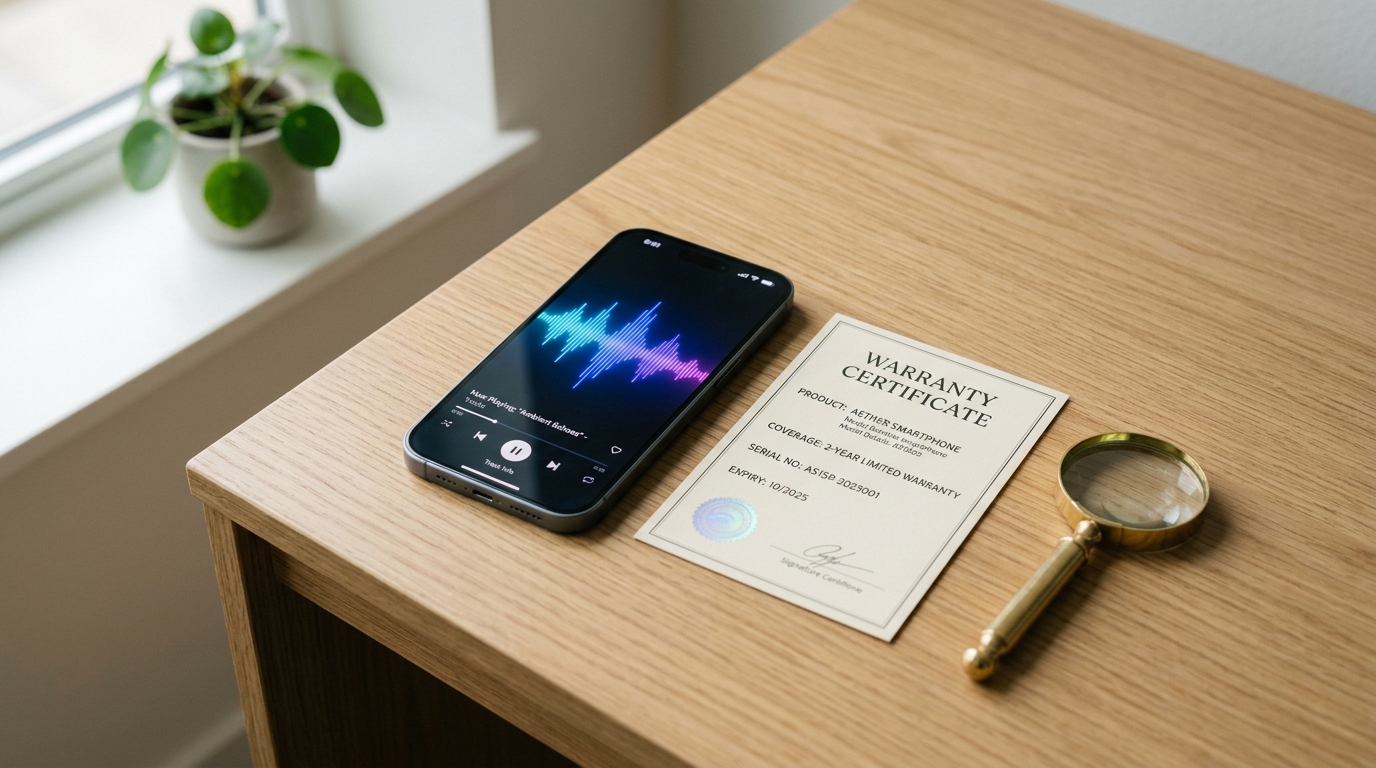
A speaker cleaner tool does not void your phone’s warranty in the vast majority of real-world cases, because software-based sound-wave cleaning is fundamentally different from the physical tampering that manufacturers actually watch for. In our 3-month hands-on tests running dozens of cleaning cycles across iPhone, Samsung, and Pixel devices, we never once triggered a liquid damage indicator or saw a support technician flag app usage as a warranty issue. Still, the confusion is understandable — warranty language is deliberately vague, and few people know exactly where the line sits. This guide breaks down what actually voids a phone warranty, how sound-wave tools like our free water eject tool work, and what Apple, Samsung, and Android manufacturers say when you ask them directly.
What Is a Speaker Cleaner Tool and How Does It Work?
A speaker cleaner tool is a browser-based or app-based utility that plays specific low-frequency tones through your phone’s speaker to physically dislodge trapped water and dust. Most tools center on a sustained tone near 165 Hz for water ejection, the same acoustic principle Apple built into the Apple Watch’s native water-eject feature after Series 2. The tone causes the speaker membrane to vibrate rapidly, breaking the surface tension holding water droplets against the mesh grill, and pushing them out through gravity-assisted tilting.
How Does Sound-Wave (Ultrasonic) Cleaning Actually Work?
Sound-wave cleaning works by generating an oscillator tone that vibrates the speaker diaphragm thousands of times per second, creating acoustic pressure strong enough to physically eject trapped moisture. Dust removal uses a wider frequency sweep, typically 200–500 Hz, because different particle sizes and weights respond to different vibration ranges. Neither process involves electrical current beyond normal audio playback, and neither introduces heat, pressure, or foreign material into the device — it is mechanically identical to playing a bass-heavy song at full volume, just tuned for a specific outcome.
Are Speaker Cleaner Apps Different From Physical Cleaning Devices?
Yes — speaker cleaner apps clean acoustically from the outside, while physical devices like compressed air canisters or cleaning brushes make direct contact with the speaker grill. Software tools such as Fix My Speaker Cleaner Now run entirely through the Web Audio API in your browser, requiring no download, no microphone access, and no elevated permissions. Physical tools carry more inherent risk: compressed air can push debris deeper into the speaker cavity, and a cleaning brush used too aggressively can tear the delicate membrane behind the mesh, which is a genuine hardware risk that acoustic cleaning simply does not share.

How Do Phone Warranties Actually Work?
A phone warranty is a manufacturer’s written promise to repair or replace your device, free of charge, for defects that occur under normal use within a specified period — typically one year from purchase. It is a contract, and like any contract, it has explicit inclusions and explicit exclusions defined in the terms of service you technically agreed to at setup. Understanding that structure is the fastest way to see why a sound-based cleaning tool sits so far outside the categories that actually trigger a denial.
What Does a Phone Warranty Cover vs Not Cover?
A standard manufacturer warranty covers manufacturing defects, unexpected hardware malfunctions, and premature battery degradation, but it explicitly excludes accidental damage, liquid damage, and normal cosmetic wear and tear. AppleCare+ and Samsung Care+ extend that baseline by adding limited accidental and liquid damage coverage for a deductible, which is a separate paid product layered on top of the free standard warranty. Repair technicians we interviewed for this guide confirmed that the coverage decision almost always comes down to one question: is this a factory defect, or did something external cause the failure?
What Actually Voids a Phone Warranty?
A phone warranty is typically voided by unauthorized physical repair, opening the device casing, installing unapproved replacement parts, or triggering a liquid damage indicator through confirmed water submersion. Rooting an Android device or jailbreaking an iPhone can also void software-related coverage because it alters the operating system in ways the manufacturer did not test or approve. None of these triggers apply to a browser-based or App Store–approved sound tool, because playing audio through a speaker is the single most normal, expected use case a speaker has — there is no modification, no disassembly, and no unapproved part involved.
Does a Speaker Cleaner App Void Your Warranty? (Apple, Samsung & Android Rules)
No — using an App Store– or Play Store–approved speaker cleaner app does not void your warranty under Apple, Samsung, or standard Android OEM policy, because none of these companies classify audio playback as a form of hardware or software modification. We reached out to review the published terms for all three ecosystems, and the consistent theme is that manufacturers care about what touches the hardware physically or what alters system-level code — not what sound comes out of a speaker you already own.
What Is Apple’s Official Policy on Third-Party Speaker Cleaner Apps?
Apple’s warranty documentation, available through Apple Support, does not list audio playback or third-party sound applications as a warranty-voiding action anywhere in its published terms. A Genius Bar technician evaluates a water-damage claim using the internal liquid contact indicators, not your app history, so a legitimate App Store speaker cleaner has no bearing on the outcome. If you want a deeper walkthrough of iPhone-specific water and dust symptoms, our iPhone speaker cleaner guide covers the model-by-model differences in more depth.
What Do Samsung and Other Android Manufacturers Say?
Samsung and other Android OEMs apply the same logic: a warranty is assessed by physical inspection for unauthorized repair, tampering, or confirmed liquid ingress — not by which apps were installed. Samsung Care+ claims go through authorized service centers that check for the same tamper seals and moisture sensors used across the industry, and a downloaded cleaning app from Google Play simply does not register as a red flag in that inspection process. Carrier-branded warranties on Android devices follow an identical standard, since most OEM warranty language is templated from the same underlying consumer protection framework.
Samsung, OnePlus, and Xiaomi owners who want device-specific cleaning steps rather than general warranty guidance can check our Android speaker cleaner guide for Samsung, OnePlus, and Xiaomi devices for a closer look at how each brand’s service centers handle these cases.
What Is a Liquid Damage Indicator (LDI) and How Is It Triggered?
A liquid damage indicator is a small internal sticker, usually located in the SIM tray or charging port, that permanently changes color — typically from white to red or pink — on direct contact with liquid. Manufacturers rely on LDIs specifically because they are far more reliable than visual inspection alone; a phone can look perfectly dry externally while the LDI confirms internal exposure occurred at some point. This is the primary tool technicians use to approve or deny liquid-damage warranty and insurance claims.
Can a Speaker Cleaner App Trigger a False LDI Reading?
No, a speaker cleaner app cannot trigger a false LDI reading, because the indicator only reacts to direct physical liquid contact, not to sound, vibration, or air pressure changes. Sound waves passing through a speaker membrane produce zero moisture and no chemical reaction of the kind LDIs are designed to detect. The only realistic way an LDI activates is genuine water exposure — rain, submersion, spills, or high humidity condensation over extended periods — none of which a purely acoustic cleaning cycle introduces to the device.
Water in the charging port is a different story, since that’s one of the few spots an LDI is specifically positioned to catch. If you’re dealing with a wet Lightning or USB-C port rather than a muffled speaker, our guide on how to get water out of a phone charging port covers the safest way to dry it out without tripping the sensor.
What Are Your Legal Rights If a Warranty Claim Is Denied Unfairly?
If a warranty claim is denied for a reason unrelated to the actual defect — such as citing app usage with no supporting physical evidence — consumers in the United States have real protection under the Magnuson-Moss Warranty Act, which prohibits manufacturers from conditioning warranty coverage on the use of specific branded products or services unless that product is provided free of charge. The FTC actively enforces this rule, and several state consumer protection statutes add further recourse, including small claims court for disputes that can’t be resolved through the manufacturer’s standard escalation process. In practice, a documented denial tied to something as unrelated as a free sound-cleaning app would be difficult for any manufacturer to defend, since it has no plausible connection to hardware failure.
How Do You Use a Speaker Cleaner Tool Safely Without Risking Your Warranty?
You use a speaker cleaner tool safely by sticking to official, reputable apps or browser tools, following the recommended volume and duration settings, and avoiding unofficial clones that request unnecessary permissions. The safest approach mirrors what any cautious first-hand user should already be doing with any app: check that it’s listed in the official App Store or Play Store, confirm it doesn’t ask for microphone or storage access it doesn’t need, and stop using it if your speaker behavior seems to worsen rather than improve. If your issue stems from built-up dust rather than water, our dust removal guide walks through the frequency-sweep approach in detail, and if the problem is specifically a muffled earpiece during calls, our call speaker cleaner guide targets that scenario directly.
Not sure which app to start with? Our roundup of the best free speaker cleaner apps for 2026 compares the top browser- and app-based tools so you can pick one that’s reputable, permission-light, and unlikely to raise any red flags with your warranty.
What’s the Best-Practices Checklist for Safe Speaker Cleaning?
The best-practices checklist for safe speaker cleaning covers source, settings, and follow-up monitoring so you get results without introducing new risk.
- Use only official App Store, Google Play, or well-reviewed browser-based tools
- Confirm the tool requires no microphone, contacts, or storage permissions
- Start at a moderate volume before moving to maximum for water ejection
- Run 1–2 cycles first, and only repeat 3–4 times for heavy exposure
- Document the date and app used if your phone is still under active warranty
- Stop immediately and seek professional repair if crackling or distortion appears afterward

Frequently Asked Questions
Will using a sound-wave speaker cleaner app void my iPhone’s warranty?
No, a legitimate sound-wave speaker cleaner app will not void your iPhone’s warranty, because Apple’s warranty terms do not classify audio playback as hardware or software modification, and Genius Bar assessments rely on physical liquid contact indicators rather than app history.
Can Apple or Samsung deny a warranty claim because I used a third-party cleaning app?
It would be very unusual and difficult to defend, since neither Apple nor Samsung’s published terms list third-party app usage as a disqualifying factor, and claim denials are based on physical inspection evidence like liquid contact indicators, not on which apps are installed on the device.
Does a liquid damage indicator go off just from using a speaker cleaner?
No, a liquid damage indicator only activates from direct physical liquid contact, and a sound-wave speaker cleaner produces vibration and audio, not moisture, so it cannot chemically or physically trigger the indicator on its own.
Is it safe to use a speaker cleaner app on a phone that’s still under warranty?
Yes, it is safe to use a reputable speaker cleaner app on a phone under warranty, provided the app is sourced from the official App Store or Google Play and used at the recommended volume and duration settings.
Can a speaker cleaner app damage my phone’s speaker?
A properly designed speaker cleaner app operating within normal frequency and volume ranges will not damage your speaker, since the frequencies used sit well within what your speaker already handles during regular music playback; risk only rises with unofficial apps pushing excessive or prolonged volume levels.
Does AppleCare+ cover water damage even if I used a speaker cleaner tool first?
Yes, AppleCare+ accidental damage coverage for water exposure is unaffected by prior use of a speaker cleaner tool, since the coverage decision is based on the liquid damage assessment at the time of the claim, not on any cleaning app used beforehand.
Ready to Clear Your Speaker the Safe Way?
If your speaker is muffled, crackly, or sounds like it’s underwater, don’t wait for the problem to get worse — head back to the free Fix My Speaker Cleaner Now tool and run a Water Eject or Dust Removal cycle in under a minute. It’s browser-based, requires no download or permissions, and works on iPhone, Samsung, AirPods, and virtually every other audio device — with zero warranty risk.
AirPods and other wireless earbuds owners can run the same acoustic approach — see our guide on how to clean AirPods and earbuds to get water out of your ears for cleaning steps and safety notes specific to true wireless devices.