
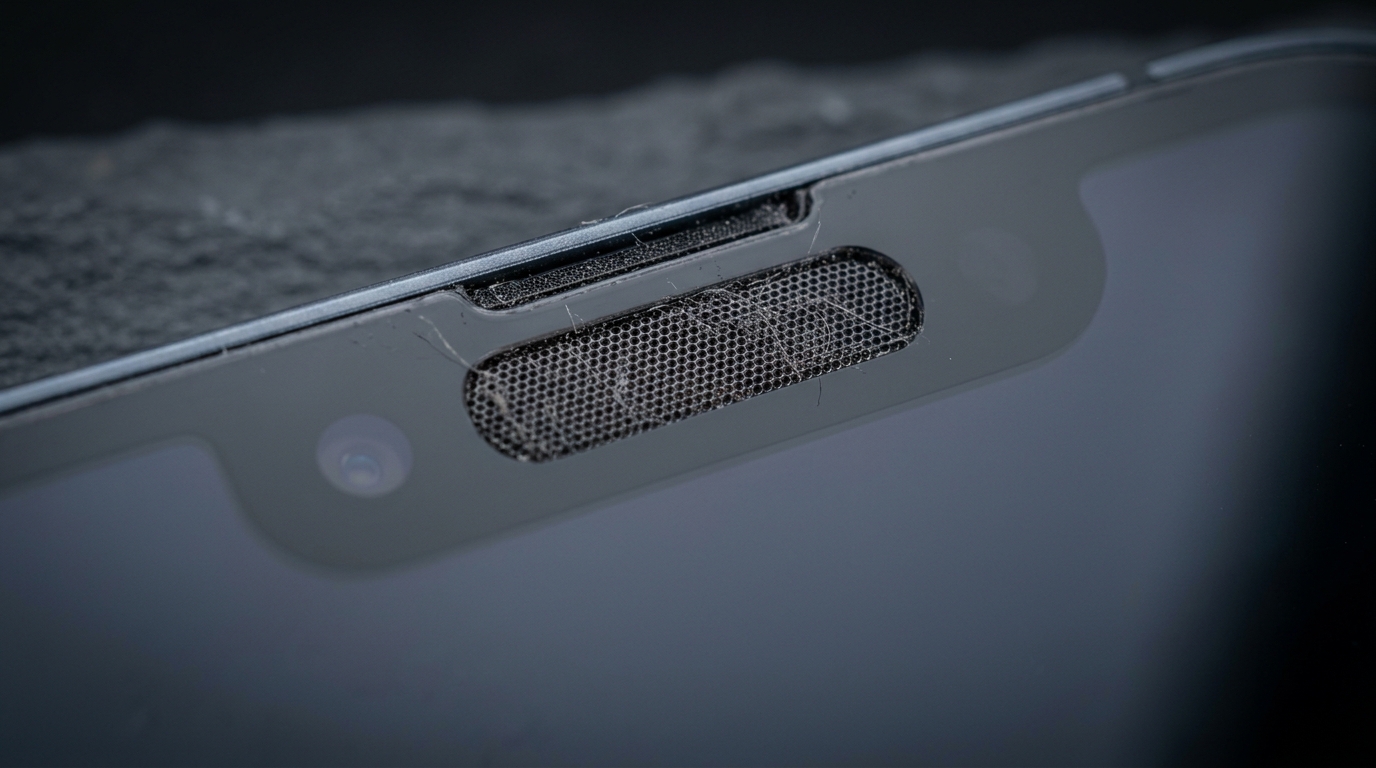
A muffled call speaker almost always means the tiny mesh over your phone’s earpiece has trapped dust, skin oil, or moisture, and the fix is usually a five-minute cleaning session rather than a repair. This is one of the most common complaints from phone owners who say their calls sound like the other person is talking through a pillow, while every other sound — music, alarms, notifications — plays perfectly fine. That contrast is the biggest clue: it’s not your hearing or the other caller’s connection. It’s a physically clogged earpiece speaker, and it behaves very differently from a dusty main speaker or a water-logged charging port.
What Is the Call Speaker (Earpiece) and Why Does It Get Muffled?
The call speaker is the small receiver speaker built into the top edge of your phone, above the screen, and it gets muffled because dust, lint, and oil physically block its narrow acoustic openings. Unlike the main loudspeaker on the bottom of the phone that blasts out music and ringtones, this component — sometimes called the top speaker or simply the ear speaker — is designed to sit flush against your ear during a voice call audio session, so even a small amount of blockage has an outsized effect on clarity.
Look closely at the grille and you’ll usually see a strip of micro-perforated mesh just above or beside the proximity sensor cutout. Because this mesh sits directly against your cheek, it collects skin oil residue, makeup residue, pocket lint, and even screen protector debris left over from installation far more aggressively than the bottom-firing loudspeaker does. Over months of daily calls, that buildup compresses into a thin film across the earpiece mesh, and sound waves struggling to pass through a partially blocked port lose high-frequency detail first — which is why voices start sounding hollow or “underwater” long before the speaker actually fails.
This is a purely mechanical problem tied to phone hardware component design, not a software bug, which is why restarting the device rarely helps. If volume is low specifically on calls but normal everywhere else, you’re dealing with acoustic port blockage, not a broader audio failure.
What Are the Signs Your Earpiece Speaker Needs Cleaning?
The clearest sign is that call audio sounds worse than every other sound your phone makes, and the specific pattern tells you what’s stuck inside. A clean earpiece produces crisp, full-range voice audio; a clogged one produces some combination of muffled sound during calls, crackling noise, static noise, distorted voice, or a hollow sound quality that makes voices feel distant even at close range. Each points to a slightly different cause, and recognizing which one you’re hearing helps you pick the right cleaning approach below.
Most people notice audio dropout or a tinny sound first, especially switching from speakerphone back to the earpiece. Others describe garbled speech, a persistent buzzing sound that worsens the longer a call runs, an odd echoing during calls, or a volume fluctuation that seems to come and go mid-conversation. A smaller group reports something closer to one-sided hearing loss on calls, where one side of the audio feels noticeably weaker than the other — usually a sign that debris has settled unevenly across the mesh rather than blocking it uniformly.
Why Does My Call Speaker Sound Muffled?
A muffled call speaker is almost always caused by compacted debris sitting on top of the mesh, not damage to the speaker itself. Dust in earpiece components accumulates in thin layers, and earwax transfer from repeated cheek contact adds a waxy binder that traps even more particles. The result is sound attenuation concentrated in the mid and high frequencies — exactly the range human speech relies on for clarity — which is why this is generally the easiest of the three problems to fix, since the blockage is external and removable.
Why Is My Earpiece Crackling or Making Static Noise?
Crackling or static usually means loose particles are vibrating against the speaker diaphragm rather than simply blocking airflow. Debris vibration happens when grit sits close enough to the driver that its normal movement physically disturbs the particles, producing an intermittent crackle that muffling alone wouldn’t cause. If the static appeared right after the phone got wet, moisture-induced crackle is more likely, since dried mineral residue leaves a rougher film than dry dust alone — and left unaddressed, this pattern carries a higher risk of speaker diaphragm damage over time.
Why Is My Call Volume Low or Uneven?
Low or uneven call volume points to a mesh that’s significantly clogged, since it takes real blockage to reduce output rather than just distort it. This reflects genuine reduced decibel output, not just a change in tone quality. In the overwhelming majority of cases it’s simple clogged speaker mesh — the same root cause as muffling, just at an advanced stage — so if maximum in-call volume still isn’t loud enough, move straight to a thorough cleaning rather than assuming hardware failure.
What’s the Difference Between the Call Speaker and the Main Loudspeaker?
The call speaker and the main loudspeaker are two entirely separate physical components with different locations, jobs, and cleaning needs. The earpiece location sits at the very top of the phone next to the front camera, handling quiet, close-range voice call audio. The loudspeaker location sits at the bottom edge near the charging port — a larger, more powerful driver built for media playback speaker duty, ringtones, and speakerphone mode, where volume and bass matter more than delicate clarity.
Because these are genuinely separate drivers in most modern phones — a dual speaker system, in device-architecture terms — a problem with one rarely affects the other. This kind of symptom differentiation is actually useful diagnostic information: if speakerphone and music sound perfectly normal but only calls sound bad, you can rule out the bottom loudspeaker entirely and focus cleaning effort on the top earpiece grille. Confusing the two is a common mistake, since generic “speaker cleaner” advice online is often written for the bottom loudspeaker and doesn’t address the earpiece’s smaller, more delicate mesh.
How Do You Clean Your Call Speaker (Earpiece)?
You clean a call speaker earpiece by first trying a non-contact vibration method, then following up with careful manual cleaning only if debris remains. The safest starting point is a sound-wave cleaner tool — a browser-based utility that plays a specific frequency-based cleaning tone through the speaker itself, using the speaker’s own vibration to shake loose whatever is trapped inside the mesh without you touching anything, so it carries essentially zero risk of scratching or pushing debris deeper.
If the tone-based approach doesn’t fully clear things up, manual techniques using a soft-bristle brush or masking tape method can lift the remaining film, followed by a light wipe with a microfiber cloth. Be patient here rather than pressing harder — the mesh openings on an earpiece are considerably smaller than those on a main loudspeaker, and aggressive cleaning is far more likely to cause damage than to speed up the result. Most people see a noticeable improvement in call clarity after just one cleaning cycle, though heavily neglected units sometimes need two or three passes over a few days.
How Does a Sound-Wave or Frequency Cleaner Tool Work?
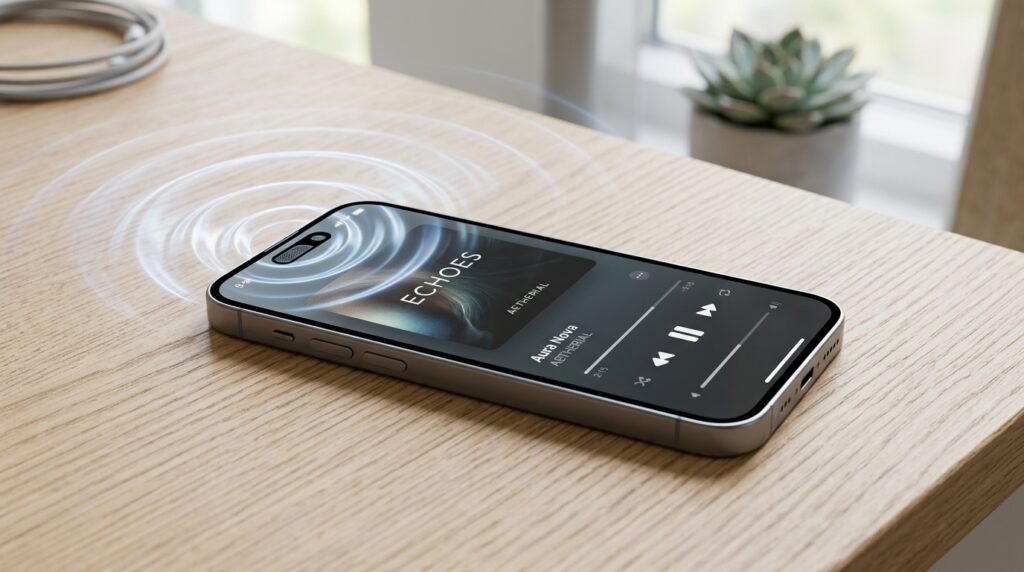
A sound-wave cleaner tool plays a targeted tone through your speaker that makes the diaphragm vibrate rapidly enough to physically shake loose trapped debris and water droplets. Many online speaker cleaner tools use a low tone around 165 Hz to disrupt surface tension and expel trapped water, paired with a frequency sweep through much higher, near-ultrasonic ranges — commonly cited between roughly 20,000 Hz and 50,000 Hz — to dislodge dry dust through rapid oscillation. Because it happens through the speaker’s own speaker vibration, there’s no app download required for most web-based versions, and a single one-tap cleaning cycle typically runs 15–30 seconds.
What Manual Cleaning Methods Work Best for the Earpiece?
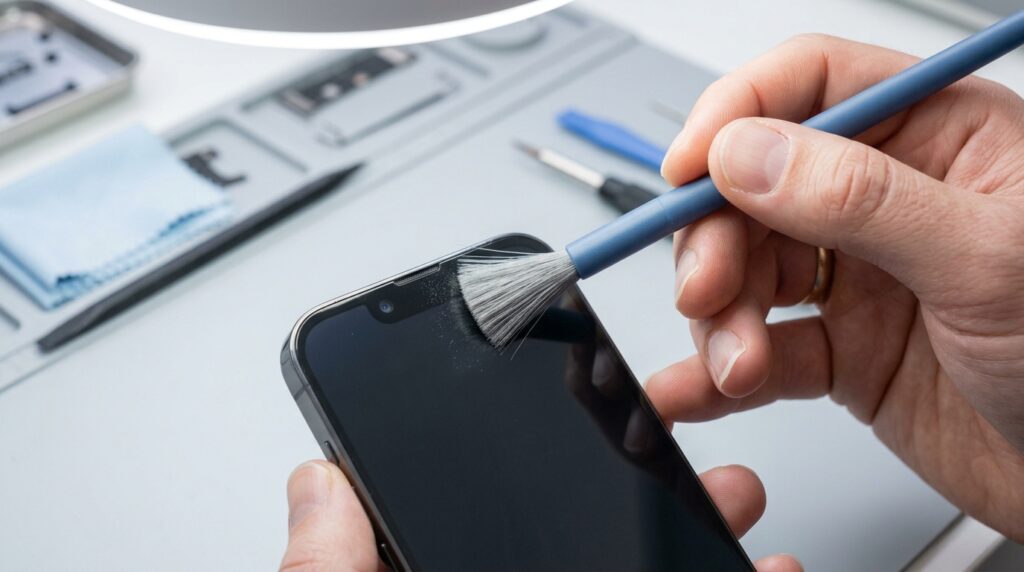
The most effective manual methods use gentle, low-tech tools rather than anything sharp or high-pressure. A clean dry toothbrush with very soft bristles, held at a shallow angle, can dislodge surface debris with light, repeated strokes across the grille. The masking tape method — pressing a small piece of low-tack tape onto the mesh and peeling it away — lifts fine dust and lint without pushing it deeper. For oily residue, a cotton swab barely dampened with isopropyl alcohol 70% can help, provided you let the area air-dry fully before using the phone again.
A few tools deserve a specific caution rather than a blanket ban. Some guides recommend the toothpick technique for scraping compacted grime off the outer rim of the grille, and a SIM ejector tool for the same edge-only purpose — both can work, but only if the tip never actually enters the mesh holes themselves, since either one can puncture the diaphragm behind it in a fraction of a second. A short, low-pressure burst of compressed air held several inches away from the grille can also help dislodge loose particles, though this is meant to supplement the tone-based and brush methods above, not replace them.
What Should You Never Do When Cleaning Your Earpiece?
You should never insert anything sharp, or blast anything high-pressure, directly into the earpiece grille. Avoid sharp objects like pins or paperclips entirely — the mesh sits extremely close to the diaphragm, and even a light poke risks tearing it, turning a five-minute task into a hardware repair. Likewise skip avoid high-pressure air sources held too close, since pressure can force debris deeper into the port instead of out; the same logic means you should avoid excessive pressure with a brush or cloth and consciously avoid pushing debris deeper by working from the outer edge of the grille inward rather than the other way around. It’s also worth learning to avoid over-vibrating speaker components by not running a frequency-based tool for far longer or far more often than the guide recommends, since prolonged, unnecessary vibration offers no extra cleaning benefit and adds needless wear to the driver. Both mistakes carry real earpiece damage risk and can raise device warranty considerations if a technician later determines the harm came from an inserted object rather than normal wear.
How Do You Fix a Muffled Earpiece After Water Exposure?
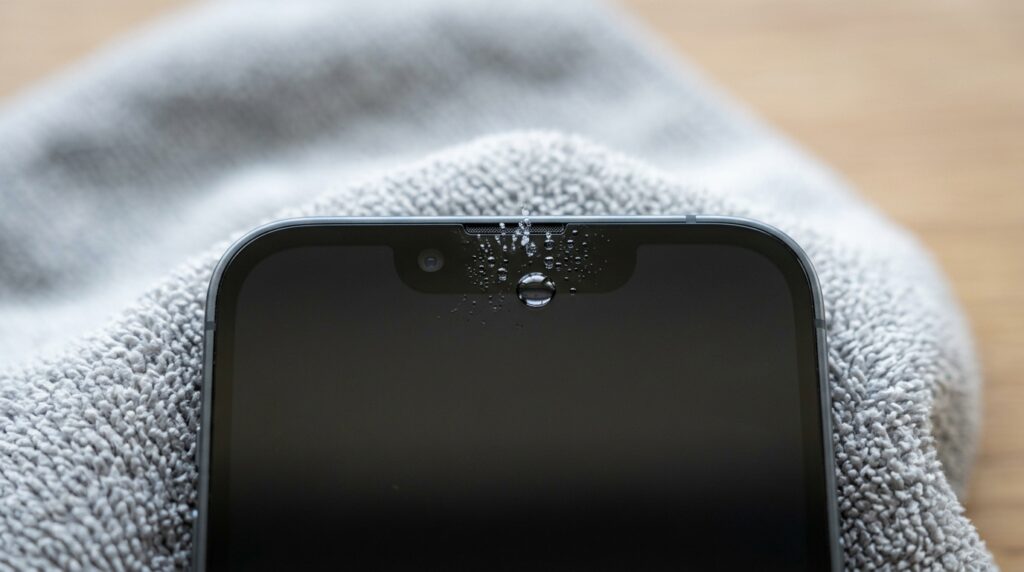
A muffled earpiece after water exposure needs a water-specific approach, not the dry-cleaning steps used for dust and lint alone. Water in ear speaker components behaves differently than dust because surface tension actually seals the tiny mesh openings shut rather than just partially blocking them, which is why sound can drop dramatically — sometimes to near silence — right after a splash or accidental dunk, even in phones with an IP68 or IP67 rating.
It’s worth being clear about what those ratings actually promise: an IP68 rating means a phone is dust-tight and can survive submersion under specific lab conditions, but it doesn’t mean water can never reach the earpiece mesh or that trapped moisture won’t affect sound afterward. Manufacturers rate resistance to damage, not resistance to temporary sound distortion — plenty of people assume a water-resistant phone can’t develop a muffled earpiece from water, but it absolutely can; it just usually won’t be permanently damaged by it.
What Are the Symptoms of Water in the Ear Speaker?
Water in the ear speaker typically causes a sudden, dramatic volume drop or a distinctive “underwater” bubbling quality that appears immediately after liquid contact. Unlike gradual dust buildup, you’ll notice muffled call audio after water exposure the moment you try a call following a spill or a phone dropped in water, and some devices will also flag a triggered liquid contact indicator confirming moisture, not dust, is the cause. Left sitting too long, trapped moisture also raises corrosion risk on the tiny metal contacts around the speaker driver, which is a separate concern from the sound issue itself and another reason to address water exposure promptly rather than waiting it out.
How Do You Use Water Eject Sound Tools Safely?
You use a water eject sound tool by playing the tone two or three times with short breaks in between, then letting the phone air-dry naturally rather than applying heat. The same water eject sound technology described earlier for dust also works for moisture, since the 165Hz frequency tool setting is tuned to disrupt the surface tension holding water droplets in place. Run it, wipe the grille dry, and repeat once or twice.
It’s worth debunking a popular shortcut here: the rice method myth — burying a wet phone in a bowl of uncooked rice — does little beyond very slow, passive gravity drying method absorption, and rice dust can itself get pulled into the same grille you’re trying to clear. A sealed container with silica gel packets draws moisture out far more effectively for genuinely stubborn cases, though most people never need to go that far once a frequency tool has done its job. Simple air-drying phone exposure — leaving the device upright in a dry room for a few hours — handles the rest. Critically, avoid heat sources — no hairdryers, no sunny dashboards — since heat can warp internal seals faster than it evaporates trapped moisture.
How Do You Clean the Call Speaker on Different Devices?
The core cleaning process is the same across brands, but grille shape and mesh sensitivity vary enough between an iPhone ear speaker and an Android speaker to warrant a quick note. This section covers only earpiece-specific differences relevant to muffled calls; for full device-wide speaker maintenance, a dedicated device guide goes into far more depth than is useful here.
How Do You Clean the iPhone Call Speaker?
The iPhone earpiece uses an especially fine mesh strip set flush against the glass, so gentle, low-pressure methods work noticeably better than anything abrasive. For iPhone speaker crackling or iPhone audio muffled complaints tied to calls specifically, a frequency-based iOS water eject sound cycle followed by a soft-brush pass along the thin grille strip is typically enough to restore clarity.
How Do You Clean Android and Samsung Call Speakers?
Most Android speaker cleaner approaches work identically across brands, since the earpiece design — a small mesh strip above the display — is broadly consistent whether you’re on a Samsung Galaxy device, a OnePlus phone, a Xiaomi call speaker, a Realme call speaker, a Vivo call speaker, an Oppo call speaker, or a Pixel earpiece. A water eject android cycle combined with a light manual pass handles the vast majority of muffled-earpiece cases, and this cross-device compatibility is one of the real advantages of frequency-based tools over brand-specific fixes.
That said, small manufacturer speaker grille variations are worth knowing about: some Android models use a wider grille strip that runs closer to the top bezel edge, while others recess it slightly beneath the glass, which can make the tape method marginally more or less effective depending on the model. If your muffled sound is coming from a wireless earbud instead of a phone speaker — a water eject airpods cycle or a dedicated earphone water remover tool addresses that separately, since earbuds trap moisture and debris in a very different housing than a phone’s earpiece grille.
How Can You Prevent Future Earpiece Dust Buildup?
You prevent future earpiece buildup mainly by managing what touches your phone’s top edge and cleaning it on a light, regular schedule rather than waiting for symptoms to appear. Phone case fit matters more than most people realize — cases with tight, raised bezels around the earpiece cutout can trap lint against the mesh rather than protecting it, so checking that the case cutout design leaves the grille fully exposed is worth doing once when you install a new case.
Good device hygiene habits make a bigger difference than most people expect: try to clean hands before calls whenever you’ve just eaten or applied lotion, and where possible avoid dusty environments like construction sites or renovation work while the phone is uncovered. A simple monthly speaker maintenance habit — a quick brush or a single water-eject cycle, whether or not you’re noticing problems yet — keeps buildup from ever reaching the point where it affects call clarity. To avoid pocket lint exposure, consider whether you can keep phone in pouch storage instead of a bare pocket lined with fabric, since loose pocket carry is one of the single biggest contributors to earpiece grime over time.
When Should You Seek Professional Repair for Your Earpiece?
You should seek professional repair when a proper cleaning cycle — vibration-based and manual — doesn’t restore clear call audio, since that points to physical damage rather than blockage. If muffling, crackling, or low volume persists after genuinely trying both approaches above, this is where the DIY vs professional repair decision comes in: the diaphragm or driver itself may be compromised, and no further cleaning will fix a genuine speaker component failure. At that point, an authorized service center or a certified technician can diagnose whether you’re looking at a straightforward speaker driver replacement or something more involved, and confirm whether the issue falls under existing warranty coverage before you request a repair cost estimate and pay out of pocket. Persistent physical speaker damage after a known drop or liquid incident is the clearest signal you’ve moved past a DIY problem and into repair territory.
Frequently Asked Questions
How Do I Clean the Ear Speaker (Call Speaker) on My Phone?
Start with a frequency-based sound-wave cleaner tool set around 165 Hz, then follow up with a soft-bristle brush or the masking tape method if any residue remains, using gentle circular motion and never inserting sharp objects into the grille.
Why Does My Call Speaker Sound Muffled or Crackly?
Muffling comes from dust, skin oil, and debris compacting on the earpiece mesh, while crackling usually means loose particles are physically vibrating against the speaker diaphragm — both are mechanical blockages rather than software issues.
How Do I Remove Water From My Ear Speaker?
Run a sound-wave water ejection tool at around 165 Hz two or three times, then let the phone air-dry naturally; avoid a hairdryer or other heat source, since heat can damage internal seals faster than it clears trapped moisture.
What Is the Difference Between the Call Speaker and the Main Loudspeaker?
The call speaker sits at the top of the phone near the front camera and handles quiet, close-range voice audio for calls, while the main loudspeaker sits at the bottom and handles louder media playback, ringtones, and speakerphone mode through a separate driver.
Is It Safe to Use an Online Speaker Cleaner or Water Eject Sound Tool?
Yes — browser-based frequency tools use non-invasive vibration to loosen debris and water without physical contact, making them a safer first step than manual cleaning for both iPhone and Android earpieces.
How Often Should I Clean My Phone’s Call Speaker?
A quick monthly cleaning cycle, even without noticeable symptoms, is enough to prevent the gradual buildup that eventually leads to muffled or crackly calls.
Need Help?
Skip the guesswork and run a free, no-download sound-wave cleaning cycle right from your browser — try our speaker cleaner tool now and get your earpiece sounding clear again in under a minute.
2 thoughts on “Call Speaker Cleaner: How Do You Fix a Muffled Earpiece During Calls?”