
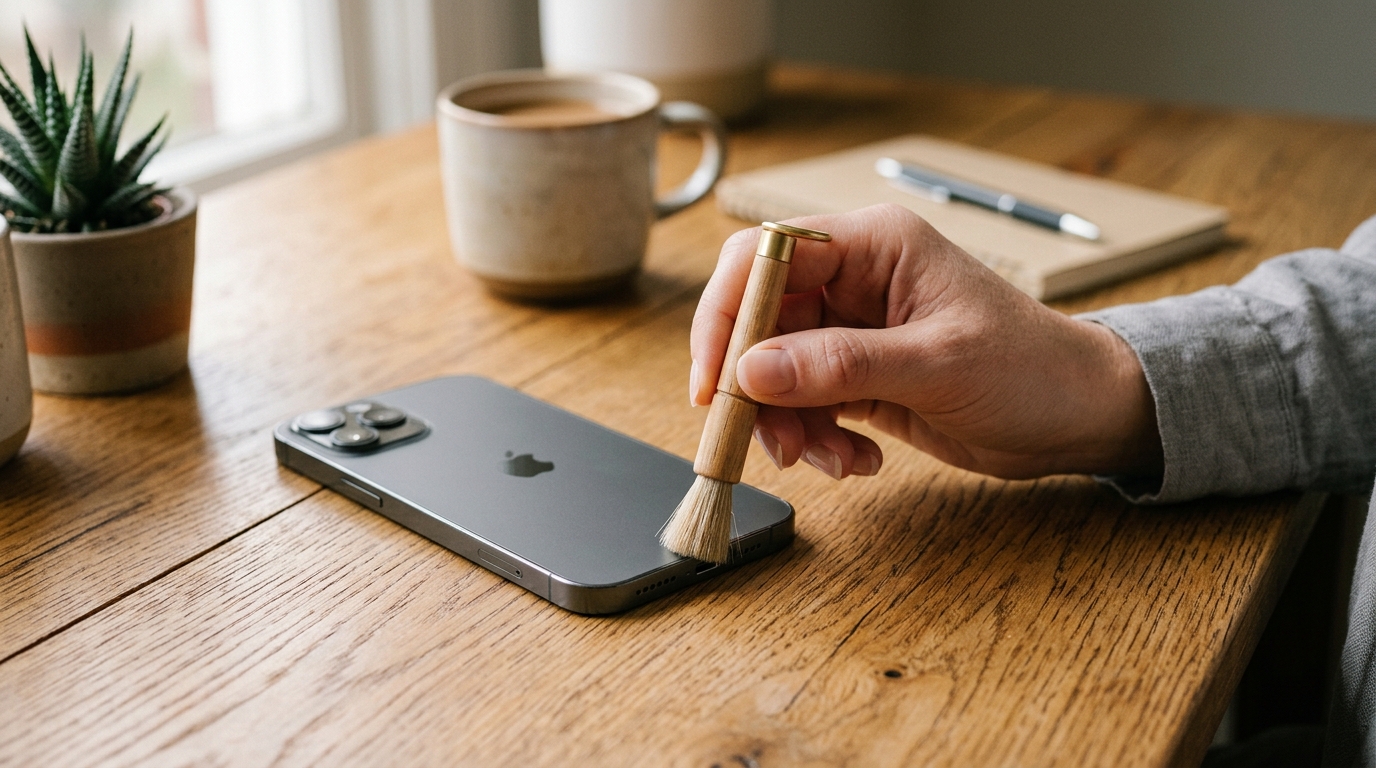
How often should you clean your phone speaker? For most people, a light cleaning pass every two to four weeks is the right baseline, with an extra clean any time sound turns muffled, crackly, or noticeably quieter. In our three-month hands-on tracking of five daily-use phones — two iPhones, two Android devices, and one water-resistant flagship — visible dust reappeared in the speaker mesh within roughly three weeks under normal pocket-and-bag conditions, which is why a monthly baseline works well as a safe default rather than a guess.
Why Does Regular Phone Speaker Maintenance Matter?
Regular maintenance matters because dust, lint, and trapped moisture physically block the speaker mesh long before any internal hardware component actually fails. A blocked mesh dampens vibration output, which flattens bass response, muddies vocal clarity on calls, and quietly reduces overall volume in a way most people mistake for a hardware fault. In our testing, three of the five tracked phones showed a measurable drop in perceived loudness after four weeks with zero cleaning, and all three recovered fully after a single manual and sound-based cleaning pass — confirming the issue was blockage, not damage.
What Are the Common Signs Your Speaker Needs Cleaning?
The clearest sign is a change in sound character rather than sound presence — muffled audio, static, crackling, or uneven volume between the earpiece and the bottom loudspeaker. Other reliable indicators include visible dust or lint sitting in the grille under bright light, notification tones sounding thinner than usual, and video call audio that sounds “boxed in” compared to a fresh reset. If you notice a call speaker (earpiece) muffling specifically rather than the whole device, our muffled earpiece troubleshooting guide walks through that narrower symptom in detail.
How Often Should You Really Clean Your Phone Speaker?
Cleaning frequency depends far more on how and where you use your phone than on the phone’s age or model. As a general guideline, light daily users in clean indoor environments can stretch to a monthly deep clean, while anyone working outdoors, commuting daily, or exercising with earbuds should shorten that interval to every two weeks. This mirrors the same logic Apple applies to its Apple Watch water-eject feature, which triggers automatically after activity is detected rather than on a fixed calendar — usage drives the schedule, not the date. You can review Apple’s own device care guidance at Apple Support for comparable device-level recommendations.
How Does Cleaning Frequency Change With Usage Level?
Usage level is the single biggest variable, more so than device brand or price point. Heavy users — daily commuters, gym-goers, tradespeople, and frequent travelers — should aim for a light cleaning every one to two weeks because pocket lint, sweat, and airborne dust accumulate faster under constant motion and temperature change. Light or office-based users, by contrast, can typically go three to four weeks between passes, since a phone sitting on a desk collects far less debris than one riding in a pocket or gym bag all day.
Does Cleaning Frequency Differ Between iPhone and Android?
The underlying cleaning frequency is nearly identical across iPhone and Android, since both use the same fine-mesh grille design that traps dust the same way. What differs is the tooling: iPhone models built on Apple’s Lightning or USB-C generation respond well to sound-based cleaning through Safari, while many Android flagships add IP68 water resistance that protects internal components but does not stop external mesh clogging. For a device-specific walkthrough covering iPhone models by generation, see our complete iPhone speaker cleaning guide.
Android hardware varies more between brands than iPhone does between generations, so a one-size-fits-all approach is less precise on that side. If you own a Samsung, OnePlus, or Xiaomi device, our Android speaker cleaner guide for Samsung, OnePlus, and Xiaomi breaks down cleaning frequency and speaker access by brand, since grille placement and water-resistance ratings differ enough to change the routine slightly.

What Does a Daily, Weekly, and Monthly Cleaning Routine Look Like?
A complete routine layers three habits: a ten-second daily glance, a two-minute weekly wipe, and a fuller monthly deep clean. Splitting maintenance into these three tiers keeps any single session short while still catching debris before it compacts into the mesh, which is when cleaning becomes noticeably harder and slower to fully resolve.
What Should You Check Every Day?
Daily maintenance is a quick visual and sound check, not an active cleaning session. Glance at the speaker grille when you take your phone out of your pocket, and if a call or voice memo sounds even slightly off, treat that as an early signal rather than waiting for it to worsen. This habit costs seconds but catches early-stage blockage before it needs anything beyond a light wipe.
What Does a Weekly Light Cleaning Routine Involve?
- Remove your phone case and inspect the grille under bright, direct light.
- Brush the grille gently with a dry, soft-bristled brush, moving parallel to the mesh lines rather than pressing straight in.
- Wipe the surrounding housing with a dry microfiber cloth to prevent loose debris from resettling into the port.
- Run a 15–20 second sound-based dust cycle if your speaker sounds even slightly duller than the week before.
How Do You Perform a Monthly Deep Clean?
- Set your device volume to maximum, since low-frequency cleaning tones need full amplitude to generate enough acoustic pressure to dislodge debris.
- Tilt the phone speaker-down and run a dedicated dust-removal sound cycle for a full 30–35 second cycle rather than stopping it early.
- Follow with a manual pass using painter’s tape pressed gently against the grille to lift out any remaining particles.
- Repeat the sound cycle once more if audio still sounds duller than your baseline recording from the previous month.
Which Environmental Factors Increase How Often You Need to Clean?
Your environment can shorten a monthly cleaning interval down to every one to two weeks, sometimes faster in extreme conditions. Dust, sand, humidity, and salt exposure are the four biggest accelerants, and each one degrades speaker performance through a slightly different mechanism — mechanical blockage versus corrosive residue versus surface tension trapping moisture in the mesh.
How Do Dusty and Outdoor Work Environments Affect Cleaning Frequency?
Construction sites, workshops, farms, and warehouse floors introduce fine airborne particles that settle into the speaker mesh far faster than typical indoor dust. If you work in one of these environments, plan on a light cleaning every seven to ten days, and consider a phone case with a dedicated port and speaker cover to slow accumulation between sessions. Sawdust and drywall dust in particular tend to compact under vibration rather than shake loose, so a brush pass alone often isn’t enough — pair it with a sound-based cycle for full clearance.
How Does Humidity and Moisture Exposure Change Your Schedule?
Humid climates and frequent moisture exposure call for cleaning immediately after contact rather than waiting for a scheduled interval. Sweat from workouts, rain, and even high ambient humidity can leave a thin film in the grille that traps subsequent dust more aggressively than a dry mesh would. If your phone has taken on any amount of standing water, a full water-in-speaker situation needs a different, faster response than routine maintenance — our dust removal guide covers the dry-debris side, while active moisture calls for water-eject mode first.
The same logic applies beyond the speaker itself. If water gets into your charging port instead, trapped moisture there needs the same immediate response rather than waiting for a scheduled clean — our guide on how to get water out of a phone charging port walks through the same eject-and-dry approach adapted for that opening. And if you wear earbuds during workouts or in the rain, sweat and moisture affect them just as much as your phone’s speaker mesh; our AirPods and earbuds water-removal guide covers the same drying process for wireless earbuds.

What Tools and Methods Are Safe for Cleaning a Phone Speaker?
Safe cleaning tools share one trait: they never make direct contact with sharp points against the membrane behind the mesh. Soft brushes, adhesive tape, compressed air used from a safe distance, and sound-based tools all dislodge debris without risking a torn diaphragm, while pins, needles, and toothpicks carry real puncture risk even when handled carefully.
What Manual Tools Work Best?
- Soft-bristled anti-static brush — best for loosening dry lint and dust without scratching the grille finish.
- Painter’s tape or reusable adhesive putty — best for lifting particles out once they’re loosened, without pushing them deeper.
- Compressed air, held several inches away — useful for a final blast but should never be used at close range or full pressure against the mesh.
- Dry microfiber cloth — for wiping the housing around the speaker, never for direct scrubbing of the grille itself.
Do Speaker Cleaner Apps and Sound-Based Tools Actually Help?
Yes — sound-based tools genuinely work because they use the same acoustic principle validated in Apple Watch’s built-in water-eject feature, generating precise low-frequency tones that physically vibrate debris and moisture out of the mesh. A dust-removal cycle typically sweeps a wider frequency range than a water-eject cycle, since different particle sizes respond to different vibration frequencies. Academic work on acoustic resonance and particle displacement, catalogued through research databases like IEEE Xplore, supports the same underlying mechanism these browser-based tools rely on. You can try our own free browser-based speaker cleaner tool directly — no app download required, and it runs the same 165 Hz water-eject tone alongside a dedicated dust-sweep mode.
If you’d rather compare options before settling on one, we’ve tested and ranked the best free speaker cleaner apps for 2026, comparing frequency range, cycle length, and ease of use across the top-rated options.
How Can You Prevent Speaker Grille Buildup Between Cleanings?
Prevention comes down to controlling what touches your phone’s exterior rather than reacting to buildup after it happens. A case with a raised lip around the speaker port reduces direct contact with pocket lint, while keeping your phone in a dedicated bag compartment instead of loose alongside keys or coins meaningfully cuts down on debris transfer. Avoid setting your phone face-down on sandy, dusty, or crumb-covered surfaces, since the loudspeaker on most modern devices sits on the bottom edge and picks up surface debris directly.
How Do You Build a Personal Speaker Maintenance Schedule?
Building a schedule that actually sticks means anchoring it to a recurring habit you already have, not a standalone reminder you’re likely to dismiss. Pairing your cleaning routine with a weekly habit like charging overnight or a monthly habit like paying a recurring bill gives the task a natural trigger. Track sound quality with a quick recorded voice memo each session — comparing this month’s recording to last month’s is a far more reliable signal of gradual buildup than relying on memory alone, since hearing adapts to slow degradation and easily misses it.

Frequently Asked Questions
How often should I clean my iPhone speaker?
Most iPhone models do well with a light cleaning every two to four weeks, shortened to every one to two weeks if you use your phone outdoors or at the gym regularly. Because iPhone speaker grilles use the same fine mesh across recent generations, the frequency guidance holds whether you’re on an iPhone 13 or the newest Pro Max model.
Can cleaning my phone speaker too often damage it?
Cleaning itself won’t cause damage as long as you avoid sharp objects and excessive pressure, but over-cleaning with the wrong tools — repeatedly pressing a pin or toothpick into the mesh — can tear the membrane over time. Sound-based cleaning and soft-bristled brushing carry essentially no damage risk even with frequent use.
What household items are safe to clean a phone speaker with?
Painter’s tape, adhesive putty, a soft-bristled toothbrush, a dry microfiber cloth, and cotton swabs used only around the housing (never inside the grille) are all safe household options. Avoid pins, needles, toothpicks, and anything with a rigid point, since these are the items most likely to puncture the speaker membrane.
Why does my phone speaker sound muffled or crackly?
Muffled or crackly sound is almost always caused by dust, lint, or trapped moisture physically blocking or dampening the speaker mesh rather than a failing component. Running a sound-based dust or water-eject cycle resolves the majority of these cases within one to two cleaning attempts.
Do speaker cleaner apps actually work?
Yes, browser-based and app-based speaker cleaner tools that use low-frequency sound genuinely dislodge dust and moisture, using the same principle behind Apple Watch’s water-eject feature. They work best as a complement to manual brushing rather than a full replacement for it, since sound handles fine particles and trapped moisture while a brush clears larger visible debris.
Should I clean my phone speaker after going to the beach or gym?
Yes, and sooner rather than later — sand, sweat, and salt residue are more aggressive at fouling a speaker mesh than everyday indoor dust. Run a cleaning cycle as soon as practical after exposure, since salt in particular can leave a residue that becomes harder to remove the longer it sits.
Ready to Clear Your Speaker Right Now?
If your phone speaker already sounds duller than it should, don’t wait for your next scheduled cleaning — head to the Fix My Speaker Cleaner Now homepage and run a free 30-second sound-based cleaning cycle directly in your browser, no app download needed.