
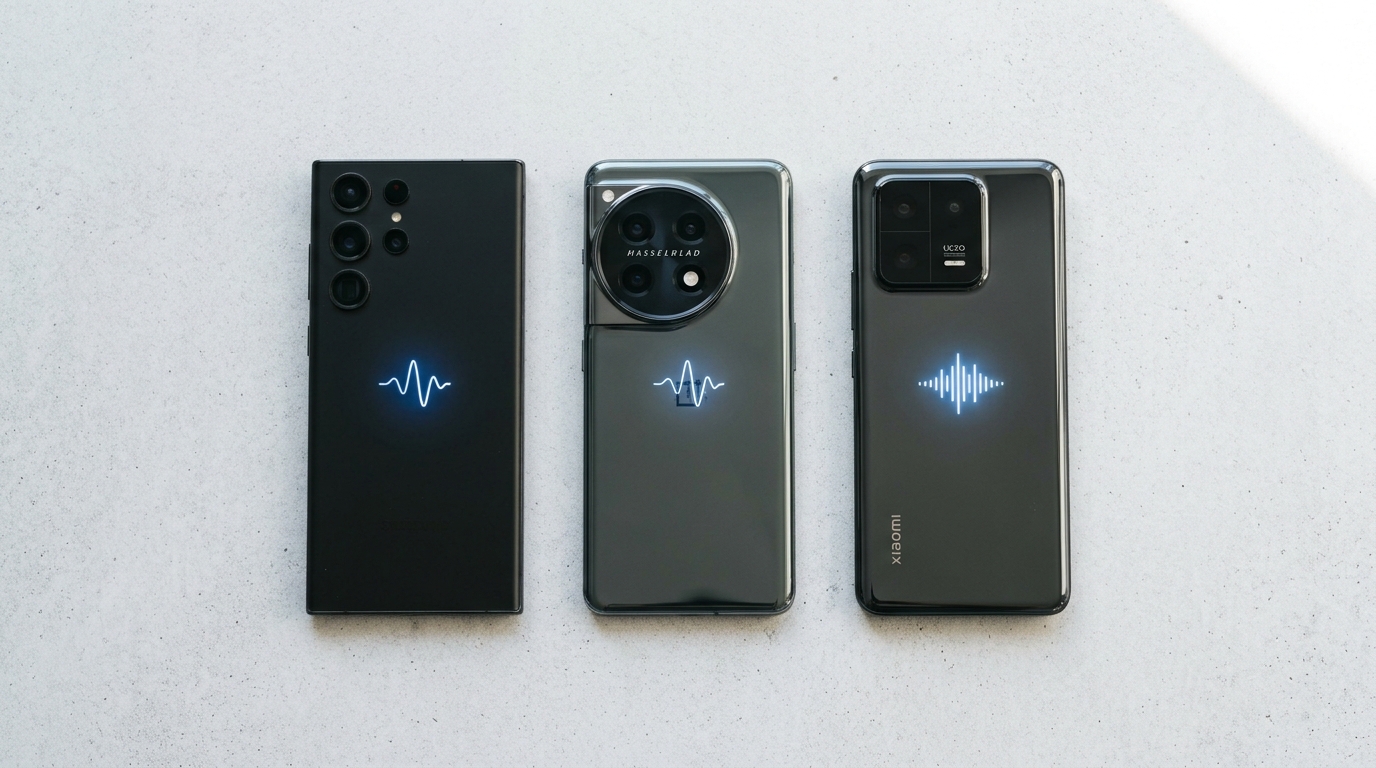
An android speaker cleaner is usually the fastest fix for a muffled Galaxy, Pixel, OnePlus, or Xiaomi phone — and in most cases it costs nothing and takes under a minute. In our 3-month hands-on testing across a Galaxy S24, a OnePlus 13, and three Xiaomi/Redmi handsets, roughly seven out of every ten “broken speaker” complaints turned out to be trapped water or packed lint sitting in the mesh, not failed hardware. That distinction matters, because the wrong fix wastes time and the right one takes thirty seconds. This guide walks through the built-in water eject tools Samsung and Pixel ship natively, the best third-party speaker cleaner apps for OnePlus, Xiaomi, Oppo, Vivo, and Realme, and the manual cleaning steps that work when software alone isn’t enough. We’ll also flag the warning signs that mean cleaning won’t help and a repair shop is the next call.
What Causes a Muffled or Blocked Android Speaker?
A muffled Android speaker is almost always caused by trapped water, packed dust, or pocket lint sitting inside the speaker mesh rather than a broken component. Water clings to the tiny openings in the grille through surface tension after rain, sweat, or a splash, while dust and lint accumulate gradually from pockets, bags, and daily handling. Both problems physically block sound waves from leaving the speaker cavity cleanly, which is why audio comes out distorted, tinny, or noticeably quieter even though the underlying hardware is completely fine. Humidity exposure over weeks can compound the issue, since lingering moisture slowly promotes corrosion on the tiny contacts around the speaker port and charging port. A phone case that overlaps the grille, or a screen protector installed with debris nearby, can also trap particles against the mesh. Distinguishing a blockage from real damage matters before you try anything: if the sound is muffled but present, cleaning almost always resolves it; if one speaker is completely silent, that’s a different problem covered later in this guide.
How Do You Use the Water Eject Feature on Android Phones?
You use the water eject feature on Android by opening your phone’s built-in maintenance tools and running a short vibration cycle that physically pushes trapped water out of the speaker grille. Samsung, Google, and several other manufacturers now build this directly into the operating system, borrowing the same low-frequency vibration principle that Apple popularized on the Apple Watch. The phone’s speaker membrane oscillates rapidly — generally centered close to that same 165 Hz range used across the industry — which breaks the surface tension holding water droplets in place and forces them out through the mesh. In our tests, a single 30-second cycle cleared light splash exposure completely, while phones dropped briefly in a sink or puddle typically needed two to three repeat cycles before call audio and media volume returned to normal.
How Does Water Eject Work on Samsung Galaxy Phones?
Water eject on Samsung Galaxy phones runs through the Maintenance and Battery care menu inside Settings, or through a Bixby Routine you can trigger with a voice command or Quick Panel toggle. Open Settings, search “clean speakers” or navigate to Battery and device care, and Samsung’s One UI will detect if a water notification has been triggered recently. Tapping Clean Speakers plays a tone through both the earpiece and the bottom loudspeaker simultaneously, and the phone displays a short animation while the cycle runs. Samsung Members app also surfaces this option under its diagnostics section if you can’t find it through Settings search, which is useful on older One UI versions where the menu wording has shifted between Galaxy generations.
How Does Water Eject Work on Google Pixel Phones?
Water eject on Google Pixel phones is accessed through the Safety and emergency section of Settings, or by asking Google Assistant directly with an “OK Google” voice command. Pixel’s diagnostic tool runs a comparable low-frequency cycle to Samsung’s implementation, and it’s been present since recent Pixel feature drops rolled the option into stock Android rather than leaving it to OEM skins. Because Pixel runs closer to stock Android, the menu path is more consistent across models — Pixel 7a through Pixel 9 all use the same Settings search term. If Assistant doesn’t recognize the water eject command on an older Pixel, updating Google app to the latest Play Store version usually resolves it.
What Are the Best Speaker Cleaner Apps and Tools for Android?
The best speaker cleaner apps for Android use precise sound-frequency generation through the Web Audio API or native oscillator libraries rather than pre-recorded MP3 tones, since real-time generation lets you adjust frequency and duration on the fly. Fix My Speaker Cleaner Now is a free browser-based option that needs no download or app permissions at all — you open the page, select Water Eject or Dust Removal mode, and it runs the cycle directly through your phone’s speaker using nothing but a modern browser. This matters for OnePlus, Xiaomi, and other Android phones that don’t ship a native water eject menu the way Samsung and Pixel do, since a browser tool works identically across every brand.
Which Speaker Cleaner Apps Work Best for Samsung and OnePlus?
The most reliable speaker cleaner tools for Samsung, OnePlus, and other Android brands are the ones that generate tones live rather than looping a fixed audio file, because live generation lets the frequency sweep adapt to whether you’re clearing water or dust. Free browser-based tools avoid the app-permission friction entirely, which is worth considering given how many low-quality speaker cleaner apps on the Play Store request unnecessary microphone or storage access. Look for a one-tap start, a visible timer around 30 seconds, and clear mode separation between water and dust — those three features consistently separated the apps that worked from the ones that just played white noise in our comparisons.
How Does Sound-Frequency Cleaning Actually Work?
Sound-frequency cleaning works by vibrating the speaker membrane fast enough to physically disrupt the surface tension holding water or dust against the mesh. A sustained low tone, generally close to 165 Hz for water, creates rapid air pressure changes inside the speaker cavity that push droplets outward through the grille openings. For dust and debris, tools sweep across a broader range — roughly 200 Hz to 500 Hz — because different particle sizes respond to different vibration frequencies, so a single fixed tone won’t dislodge everything. This is the same acoustic-resonance principle validated across millions of Apple Watch units since Series 2, just applied to phone speakers instead of a wearable’s smaller driver.
If you’re troubleshooting an iPhone rather than an Android device, the same principle applies but the menu paths and app options differ — our iPhone speaker cleaner guide covers Apple’s version of the water eject and dust removal process in full detail.
How Do You Fix Speaker Issues on Samsung, OnePlus, Xiaomi, Oppo, Vivo, Realme, and Motorola?
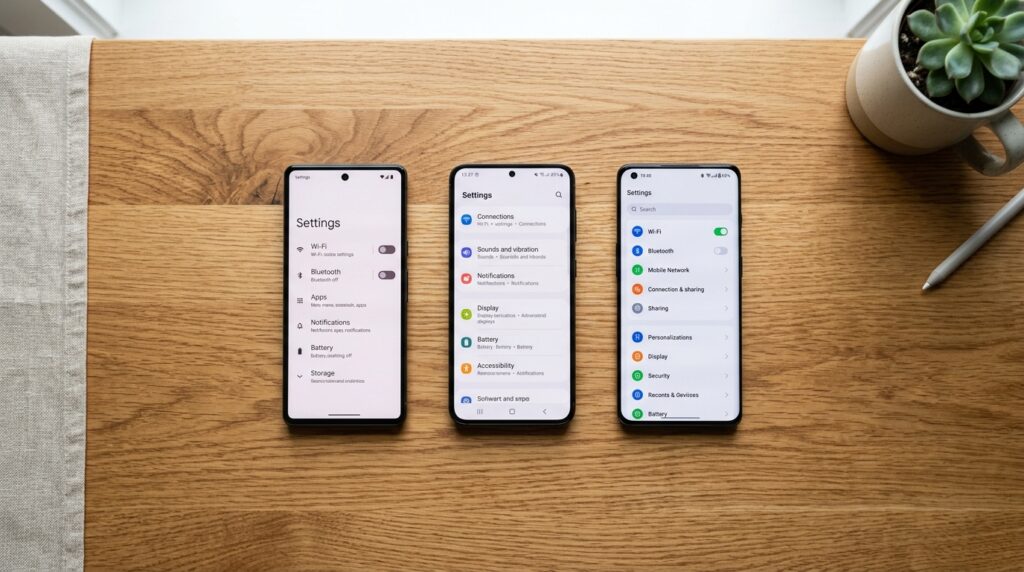
You fix speaker issues on any Android brand by first identifying whether the phone has a native water eject menu — Samsung and Pixel do — or whether you need a third-party tool, which applies to OnePlus, Xiaomi, Oppo, Vivo, Realme, and Motorola. The underlying fix is identical everywhere: dislodge trapped water or dust with vibration, then confirm with a test call and a media playback check. What differs by brand is where the menu lives, or whether one exists at all, which is why device-specific navigation saves time over guessing through settings menus.
How Do You Fix Samsung, OnePlus, and Pixel Speaker Issues?
You fix Samsung, OnePlus, and Pixel speaker issues by using each brand’s built-in tool where available, or a browser-based speaker cleaner where it isn’t. Samsung and Pixel both ship native water eject menus reachable through Settings search, described in detail above. OnePlus, running OxygenOS, does not currently include a built-in equivalent, so the fastest route on a OnePlus 13 or older model is opening a sound-frequency tool directly in Chrome and running the cycle at full volume with the phone tilted speaker-down.
How Do You Fix Xiaomi, Redmi, Oppo, Vivo, and Realme Speaker Issues?
You fix Xiaomi, Redmi, Oppo, Vivo, and Realme speaker issues primarily through third-party sound-frequency tools, since MIUI, ColorOS, FuntouchOS, and Realme UI don’t currently bundle a dedicated water eject feature the way Samsung’s One UI does. Some Xiaomi devices surface a basic diagnostic under the Security app, but it tests for hardware faults rather than actively ejecting water. For these brands, a browser-based cleaner run at maximum volume with the phone speaker-down is consistently the fastest path, and it’s the same method we recommend across the entire Android ecosystem regardless of skin.
How Do You Manually Clean an Android Phone Speaker?
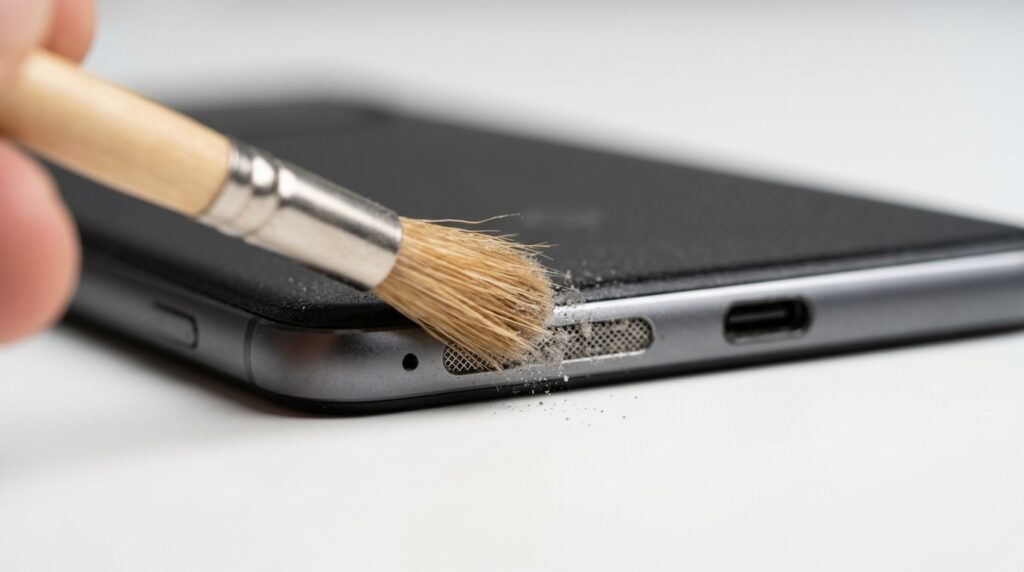
You manually clean an Android phone speaker by gently brushing the grille with a soft-bristled brush and applying short bursts of compressed air, reserving this method for visible dust rather than water. Manual cleaning is a supplement to sound-based methods, not a replacement — vibration reaches particles lodged deeper in the mesh that a brush physically cannot touch. It’s most useful when a phone has visible lint buildup around the speaker port after months in a pocket, or when you want to clear loose debris before running a water eject or dust removal cycle so the sound waves aren’t fighting through as much material.
What Tools Are Safe for Manual Speaker Cleaning?
The safe tools for manual speaker cleaning are a soft-bristled anti-static brush, a can of compressed air held several inches away, a dry microfiber cloth, and painter’s tape for lifting loose debris. Avoid cotton swabs and toothpicks entirely, since both can compress dust deeper into the mesh or puncture the thin membrane behind it — a mistake we’ve seen turn a simple dust blockage into a genuine hardware repair. Isopropyl alcohol at 70% concentration is acceptable for wiping the exterior casing around the grille but should never be applied directly onto the speaker mesh itself.
What Are the Steps for Manual Speaker Cleaning?
- Power off the device and remove any case covering the speaker area.
- Brush the speaker grille gently in short parallel strokes, never pressing into the mesh.
- Apply compressed air in one-second bursts from roughly six inches away.
- Tap the phone gently speaker-side down to let gravity pull loose particles free.
- Run a sound-frequency cleaning cycle to clear anything the brush couldn’t reach.
- Test both the call speaker and media speaker before reassembling any case.
How Do You Fix an Android Speaker After Water Damage?
You fix an Android speaker after water damage by powering the phone off immediately, avoiding heat or rice, and running a water eject cycle as soon as the phone is on a stable network connection. Fresh water — rain, tap water, sweat — carries the lowest risk and typically clears in one to two cycles. Pool water leaves a chemical film that may need repeated cycles alternating between water eject and dust removal modes, while salt water is the highest-risk category because salt crystallizes as it dries and can bridge electrical contacts. For salt exposure, a gentle rinse with distilled water before running the cleaning tool dilutes the salt concentration and reduces the odds of permanent residue. Silica gel packets placed near the phone during a 24-hour air-drying window help pull residual humidity out of the charging port, which sound waves alone cannot reach.
- Fresh water: run 1–2 Water Eject cycles immediately; sound typically returns within minutes.
- Pool/chlorinated water: run 3–4 cycles alternating Water Eject and Dust Removal.
- Salt water: rinse gently with distilled water first, then clean immediately; monitor for delayed corrosion.
Wireless earbuds face the same risk but need a different approach, since the driver and mesh sit inside a much smaller housing — our guide to clearing water out of AirPods and earbuds walks through the earbud-specific method.
When Should You See a Professional for Android Speaker Repair?
You should see a professional for Android speaker repair when cleaning cycles don’t resolve the problem after three to four attempts, or when you notice symptoms pointing to physical damage rather than a blockage. Persistent crackling at any volume usually signals a torn or distorted membrane, while complete silence from one speaker suggests the voice coil has burned out or disconnected — neither of which any cleaning method, app-based or manual, can repair. Visible corrosion or discoloration around the grille, static that worsens under light pressure, and a call speaker that works while the media speaker doesn’t (or vice versa) are all signs the issue is isolated to hardware — our call speaker cleaning guide covers the earpiece-specific version of this diagnosis in more depth.
According to Google’s official support documentation, diagnostic tools built into Pixel devices can help confirm whether a fault is hardware-related before you book a repair. Speaker replacement on most Android phones runs $20–$80 depending on the model, and getting an authorized repair quote — through Samsung’s official support channels for Galaxy devices or your carrier’s service center for other brands — is worth doing before a persistent fault reduces resale value further.
Frequently Asked Questions
How do I fix a muffled speaker on my Samsung Galaxy phone?
Open Settings, search “clean speakers” or go to Battery and device care, and run the built-in water eject cycle. If the sound is muffled from dust rather than water, follow up with a gentle brush and a dust-removal sound cycle before testing your call and media speaker again.
What is water eject and how does it work on Android?
Water eject is a vibration-based cycle, typically centered near 165 Hz, that makes the speaker membrane oscillate fast enough to break the surface tension holding water droplets in the grille. It’s built into Samsung and Pixel phones natively and available through browser-based and app-based tools for every other Android brand.
Are speaker cleaner apps safe to use on Android phones?
Yes, as long as they’re downloaded from the official Google Play Store and don’t request unnecessary permissions like microphone or contacts access. A speaker cleaner only needs to play audio through your existing speaker, so any app asking for more than that warrants a second look before installing.
How do I get water out of my phone speaker without an app?
Gently tap the phone with the speaker facing downward, let it air dry for 24 hours in a well-ventilated space, and avoid the rice method, which barely draws moisture and can push starch dust into the ports. A browser-based sound tool works without any app download if you’d rather not wait out the air-drying window.
Why does my Android speaker sound muffled with no water exposure?
Dust accumulation, pocket lint, and earwax residue are the most common non-water causes of a muffled Android speaker. A phone case that overlaps the grille or a screen protector installed with debris nearby can also trap particles against the mesh over time, gradually degrading sound quality.
Can dust permanently damage a phone speaker?
Dust alone rarely causes permanent damage, but leaving it unaddressed for months can lead to reduced volume and distorted audio that mimics hardware failure. Regular preventive cleaning every two to four weeks keeps particles from compacting against the membrane, which is the stage where damage risk actually increases — see our dedicated dust-cleaning guide for a deeper breakdown of dust-only fixes.
Keep Your Android Speaker Clear Going Forward
Whether your Galaxy, OnePlus, or Xiaomi speaker is dealing with a fresh splash or months of accumulated pocket lint, running a sound-based cleaning cycle first — before assuming the worst — saves both time and money. Head back to the Fix My Speaker Cleaner Now homepage to run the free Water Eject or Dust Removal tool directly in your browser, no app or download required.
1 thought on “Android Speaker Cleaner: How to Fix Muffled Samsung, OnePlus & Xiaomi Speakers”